Ikolilu Parents Portal 2026 | www.ikolilu.com
This article contains information on how to gain access to the iKolilu Parents Portal (https://www.ikolilu.com) for the 2026 academic year. The portal connects parents and schools, providing access to academic records, billing information, payments, and school communications.

iKolilu is a Financial, Administrative, and Academic Platform for Schools, built to suit the needs of educational institutions in Ghana and beyond. The iKolilu Parents Portal connects parents and schools in one place. It is recognized by UNICEF’s Ghana Startup Lab as a legitimate AI-based EdTech platform focused on improving administrative efficiency and learning outcomes.
The portal serves the following purposes:
- Viewing scores, grades, and academic performance of your child.
- Viewing bills, payments, and balances — and making payments via mobile money, card, or bank transfer using iKolilu Pay.
- Receiving updates on newsletters, events, assignments, receipts, and invoices.
- Viewing the school calendar, Assignment Manager (Download/Upload/View Scores), and Daily Attendance Records.
Important: Your login credentials (username and password) are not issued by iKolilu directly. They are provided by your child’s school administration. If you do not have your login details, contact your child’s school first before attempting to access the portal.
STEPS ON HOW TO ACCESS AND ENROL FOR THE IKOLILU PARENTS PORTAL SYSTEM
The following is a guide on how to access the iKolilu Parents Portal for 2026. There are two ways to access the portal: through a web browser or through the mobile app.
Option 1: Web Browser Access
- Open a modern web browser such as Google Chrome, Mozilla Firefox, or Microsoft Edge. Internet Explorer is no longer supported.
- Go to the official iKolilu Parents Portal: https://www.ikolilu.com/portal/v1.4.2/index.html
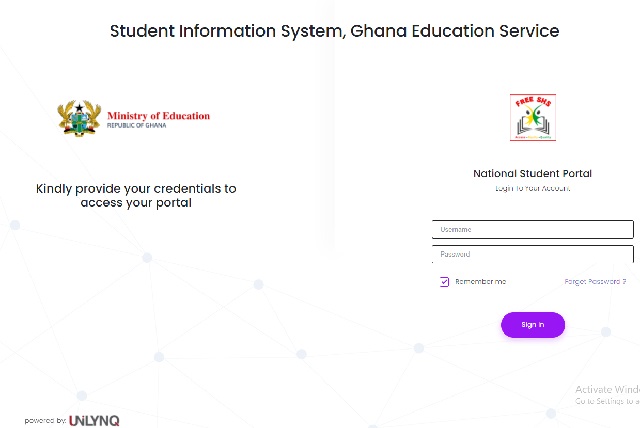
- Enter your username and password as provided by your child’s school.
- Click the Sign In button.
- Once logged in, you will be taken to your personal dashboard where you can access academic reports, billing information, attendance records, and school communications.
Option 2: Mobile App Access
- Download the official iKolilu Parents Portal app:
- For iPhone/iPad: Search for “iKolilu Parents Portal” on the Apple App Store (Ghana).
- For Android: Search for “iKolilu Parents Portal” on the Google Play Store.
- Open the app and enter your username and password as provided by your child’s school.
- Once logged in, you can access all major features including academic reports, fee payments via mobile money, attendance records, and school notices — directly from your phone.
Both the web portal and the mobile app provide the same core features. The mobile app additionally supports direct mobile money payments, which is particularly convenient for parents in Ghana.
Forgotten Username or Password?
- On the web portal login page, click the “Forgot Username?” or “Forgot Password?” link. You will be asked to provide the email address associated with your account. A secure reset link will be sent to that email.
- If this does not work, or if you never received your credentials in the first place, contact your child’s school administration directly. The school is responsible for issuing and managing parent portal credentials.
SUPPORT AND CONTACT INFORMATION
If you continue to experience difficulties after following the steps above, contact iKolilu directly through the following verified official channels:
- Support Email: support@ikolilu.com
- General Enquiries: info@ikolilu.com
- Business Hours: Monday to Friday, 8:00 AM – 5:00 PM
- Location: Awudome, Accra, Ghana
- Official Website: https://www.ikolilu.com
When contacting support, include your child’s name, the name of the school, and a clear description of the problem to get a faster response.
Before contacting support, try these quick fixes:
- Check that your username and password are entered correctly — credentials are case-sensitive.
- Clear your browser cache and cookies, then try again.
- On mobile, force-close the app and reopen it.
- Try a different browser or device.
- Check the official iKolilu website for any service maintenance notices.
Don’t miss out on current updates, kindly like us on Facebook & follow us on @EAfinder OR leave a comment below for further inquiries.
Share This Article
Know a parent who needs help accessing the iKolilu Portal? Share this guide: