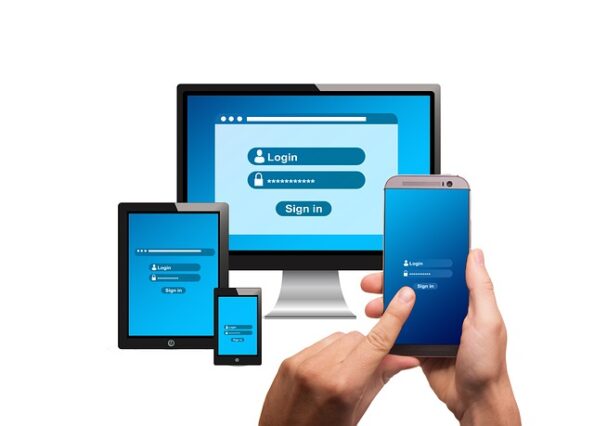
MMUST Student Portal 2026: portal.mmust.ac.ke
We are pleased to present to you portal.mmust.ac.ke as the official Masinde Muliro University of Science and Technology (MMUST) student portal for 2026. It also contains the official website, benefits of using the student portal, verified portal directories, steps on how to log in, and how to reset/recover your student portal forgotten password.
All returning or new students, upon resumption, need to select courses, get familiar with the Masinde Muliro University of Science and Technology environment, find out where classes take place, access academic resources, learning platforms, department offices, financial services, and much more.
The Masinde Muliro University of Science and Technology (MMUST) Student Portal is very important because it is not only used at the beginning of a school year but throughout a student’s academic journey. As a MMUST student, you need access to financial services, learning management systems to submit assignments and access grades, work with other students on projects, and update your student profile.
In essence, this article contains details on the official Masinde Muliro University of Science and Technology (MMUST) student portal and official university websites. It is also important to note the benefits of the MMUST student portal as stated above.
Therefore, the specific purpose of using the student portal involves:
- MMUST Course Registration;
- MMUST Fees Payment;
- Checking Semester Results;
- Viewing MMUST Admission Status and Admission Letter Printing;
- Acceptance Fee Payment;
- Downloading Academic Transcripts;
- Keeping Track of the Academic Calendar;
- Applying for Extra Credit Hours;
- Admission Deferment Requests;
- Updating Student Personal Details;
- Accessing E-Learning and Online Study Resources.
MMUST STUDENT PORTAL LOGIN ADDRESS:
- MMUST Student Portal: https://portal.mmust.ac.ke
The MMUST Student Portal serves as the central hub for academic, administrative, and financial services for both prospective and continuing students.
MASINDE MULIRO UNIVERSITY OF SCIENCE AND TECHNOLOGY (MMUST) OFFICIAL WEBSITE:
- MMUST Main Website: http://www.mmust.ac.ke
MMUST ADMISSION PORTAL LOGIN:
- MMUST Online Application Portal: http://application.mmust.ac.ke
Note: The MMUST Online Application Portal is officially recognized by the university but may occasionally be temporarily unavailable during maintenance or peak admission periods. If the portal does not load, applicants are advised to contact the MMUST admissions office or Helpdesk using the contact details provided below.
MMUST ADMISSION LETTER PORTAL:
- MMUST Admission Letter Portal: http://admission.mmust.ac.ke
This portal is used for downloading official MMUST admission letters after successful application and placement.
MMUST E-LEARNING PORTAL (IODeL):
- MMUST E-Learning Portal: https://elearning.mmust.ac.ke
The MMUST e-Learning Portal is the official Moodle-based platform for accessing online classes, lecture notes, assignments, discussion forums, assessments, and other digital learning resources.
MMUST SUPPORT HELPDESK:
- MMUST Helpdesk: https://helpdesk.mmust.ac.ke
The MMUST Helpdesk assists students experiencing technical difficulties with the student portal, e-learning portal, password recovery, admission systems, and related university digital services.
MMUST STUDENT PORTAL HELP PAGE:
- Student Portal Help: https://oldsite.mmust.ac.ke/index.php/student-portal-help
MMUST PORTAL UPDATE GUIDE:
- Portal Update Guide: https://mmust.ac.ke/student-portal-update-guide/
MMUST REGISTRAR EMAIL ADDRESS:
- MMUST Registrar Email Address: admissions@mmust.ac.ke
WHO CAN USE THE MMUST STUDENT PORTAL?
- Prospective Students
- First Year Students
- Continuing/Returning Students
- Distance Learning Students (IODeL)
HOW TO ACCESS/LOGIN TO THE MMUST STUDENT PORTAL
- Open your preferred internet browser such as Chrome, Firefox, Edge, or Safari.
- Go to https://portal.mmust.ac.ke/
- Enter your username and password.
- Click the login button to access your dashboard.
- Once logged in, you will be able to perform academic and administrative activities including course registration, fee checking, transcript viewing, and results access.
HOW TO CREATE A PORTAL ACCOUNT AS A FIRST-TIME USER
- Visit https://portal.mmust.ac.ke/
- On the login page, click on Sign Up.
- A new registration page will appear.
- Under Student Number /Employee Number, enter your registration number.
- Create a password of your choice.
- Confirm the password.
- Click Submit.
Important: After submission, you may receive an activation message sent to your official MMUST corporate email account. Students are advised to check their university email inbox and follow the activation instructions to complete account setup successfully before logging in.
HOW TO RECOVER YOUR MMUST STUDENT PORTAL FORGOTTEN PASSWORD
- Visit the MMUST Student Portal login page.
- Click on the Forgot Password option.
- Submit your username or official university email address.
- If your account exists in the database, password reset instructions will be sent to your registered email address.
- If you continue experiencing login or password reset issues, contact the MMUST Helpdesk at https://helpdesk.mmust.ac.ke.
STEPS ON HOW TO ACCESS THE MMUST E-LEARNING MANAGEMENT SYSTEM
- Visit the official MMUST E-Learning Portal at https://elearning.mmust.ac.ke.
- Log in using your official MMUST student credentials.
- Access course modules, assignments, lecture notes, quizzes, discussion forums, and online learning resources.
- Submit assignments and monitor lecturer feedback directly through the system.
MMUST CONTACT ADDRESS
Masinde Muliro University of Science and Technology
- P.O. Box 190-50100, Kakamega-Webuye Highway, Kakamega, Kenya
- +254 (0) 702 597360/1
- +254 (0) 057 2505222/3
- +254 (0) 733 120020/2
- info@mmust.ac.ke
Further Readings:
- Masinde Muliro University of Science and Technology Full Tuition & Fees
- Masinde Muliro University of Science and Technology Academic Calendar and Registration Dates
Don’t miss out on current updates, kindly like us on Facebook & follow us on Follow @EAfinder OR leave a comment below for further inquiries.