
Central University eLearning Portal 2026 – How to Access
This article contains information on how to gain access to the Central University eLearning Portal, also known as VCampus — the university’s E-Learning Management System (LMS) — for the 2026 academic year.

Central University seeks to improve learning processes for its students. The university has adopted a Learning Management System (LMS) known as VCampus, which makes it easy for students to attend classes online, access lecture notes, and submit assignments from anywhere at any time.
This eLearning platform helps lecturers of Central University upload their courses and course materials — including course outlines, lecture notes, PowerPoint presentations, recommended reading books and journals, videos, and forums — so that students can access them for continuing academic work.
Please note: The VCampus portal is powered by the Moodle Learning Management System. Both names — “VCampus” and “Moodle” — refer to the same platform. The primary URL for accessing the platform is https://vcampus.central.edu.gh/.
STEPS ON HOW TO ACCESS AND ENROL FOR THE CENTRAL UNIVERSITY E-LEARNING MANAGEMENT SYSTEM
The following is a guide on how to access and use the LMS for the 2026 academic year:
- Open your internet browser. Recommended browsers are Google Chrome, Mozilla Firefox, or Microsoft Edge. Ensure your browser is updated to the latest version for best performance.
- New students must first create a portal account by visiting the New Student Account Registration page at https://forms.central.edu.gh/student/register. You will need your personal details and your assigned student email address to complete this step.
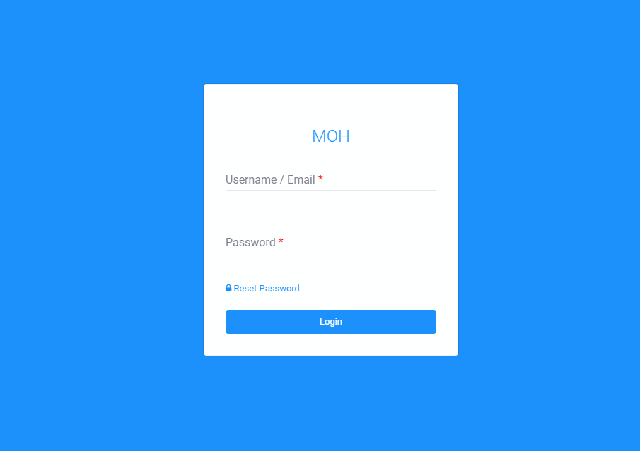
- Returning students or those who have already registered their account should go directly to the Student Portal Login page at https://student.central.edu.gh/login.
- Log in using either your official student email address (ending in @central.edu.gh) or your unique index number entered in lowercase letters, along with your password. If you are logging in for the first time, refer to the default password instructions in the official Student Login Guide at https://student.central.edu.gh/studentguide.
- If you have forgotten your password, use the “Forgot Password?” link on the login page. Enter your student email address and follow the instructions sent to your inbox to reset your password securely.
- Once logged in, you will be directed to your personalized dashboard. Your courses are automatically loaded based on your official registration — there is no separate enrollment process needed within VCampus.
- Click on any course title from your dashboard to access that module’s homepage, where you will find course materials, announcements, assignments, quizzes, and discussion forums posted by your lecturer.
- To download a resource such as a lecture note or assignment, navigate to the relevant section of your course and click on the filename. The file will be saved to your device.
- To submit an assignment, navigate to the assignment activity in your course, click “Submit assignment” or “Add submission,” upload your completed file, and click the final “Submit” or “Save changes” button. Keep a record of your submission confirmation.
- Check the Announcements section of each course regularly. Lecturers use this to share important updates, clarifications, and supplementary information.
Quick Reference — Official Portal Links for 2026:
- VCampus eLearning Portal: https://vcampus.central.edu.gh/
- Student Portal Login: https://student.central.edu.gh/login
- Official Student Login Guide: https://student.central.edu.gh/studentguide
- New Student Account Registration: https://forms.central.edu.gh/student/register
- Central University Main Website: https://central.edu.gh/
NOTE: A device with a modern web browser and an active internet connection is required. For data-heavy tasks such as downloading files or watching video lectures, connecting via Wi-Fi is strongly recommended. If you experience persistent technical issues with the portal, contact the university’s IT support through the official Central University website.
Don’t miss out on current updates, kindly like us on Facebook & follow us on @Eafinder OR leave a comment below for further inquiries.
Share this article: