
KNEC Grade 3 Portal Login Guide 2026: cba.knec.ac.ke
This article contains information on how to gain access to the Kenya National Examinations Council (KNEC) Competency-Based Assessment (CBA) Portal login (cba.knec.ac.ke), also known as the KNEC Grade 3 Portal for the 2026 academic year.
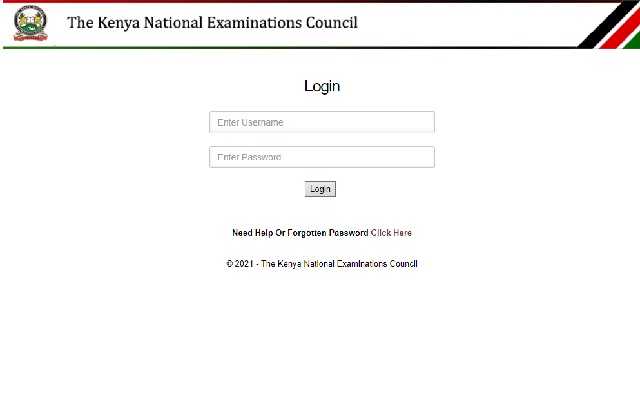
The Kenya National Examinations Council (KNEC) has enabled the Competency-Based Assessment (CBA) Portal for schools, administrators, parents, and guardians participating in the Grade 3 Kenya Early Years Assessment (KEYA) programme for 2026. The portal allows schools to register learners, download assessment tools, upload assessment outcomes, and generate learner reports in line with the official KNEC assessment schedule.
Parents and guardians can also use the portal to view learner details and assessment information using the learner’s official Assessment Number.
KNEC has advised all users to access the portal only through official KNEC platforms and not through third-party agents or unofficial websites.
OFFICIAL KNEC GRADE 3 CBA PORTAL LINKS FOR 2026
| Resource | Official Link |
|---|---|
| KNEC Official Website | https://www.knec.ac.ke/ |
| KNEC CBA Portal | https://cba.knec.ac.ke/ |
| KNEC Online Services Portal | https://www.knec-portal.ac.ke/ |
| KNEC Query Management System (QMS) | https://qmis.knec.ac.ke/ |
| KNEC Learning Management System (LMS) | https://cbalms.knec.ac.ke/ |
| National Assessment Centre (NASMLA) | https://nac.knec.ac.ke/ |
Important: Older portal links such as https://cba.knec.ac.ke/Account/LogOn are no longer active and may return a “404 Not Found” error. Candidates and schools are advised to use only the updated official portal link above.
STEPS ON HOW TO ACCESS, REGISTER, AND LOGIN TO THE KNEC GRADE 3 PORTAL 2026
For School Administrators (First-Time & Existing Users)
- Open a browser (Chrome, Opera, Edge, Firefox, Safari, etc.) using an internet-enabled device.
- Visit the official KNEC Grade 3 CBA Portal through the link: https://cba.knec.ac.ke/
- Login using your official KNEC School Centre Code as the Username and your assigned KNEC password.
- The password is usually the same one previously used during KCPE registration or the one issued by the Sub-County Director of Education (SCDE).
- After entering your login details, complete the mandatory 2026 security verification process:
- Confirm that you are an authorized school representative.
- Validate or update your profile and contact details.
- Complete the One-Time Password (OTP) verification sent to your registered phone number or email address.
- After successful login, navigate to the Grade 3 module dashboard.
- Click on learner registration or enrollment options to confirm that all Grade 3 learners are captured correctly.
- Provide and verify learner details including:
- Official learner names as they appear on the birth certificate
- Gender
- Birth Certificate Number
- Date of Birth
- Citizenship
- Disability status where applicable
- Download assessment tools, project instructions, and performance task materials once they are made available by KNEC.
- Capture and upload learner assessment outcomes before the official submission deadline.
NOTE: Schools that do not have a KNEC Centre Code should contact their respective Sub-County Director of Education (SCDE) for assistance with registration and portal access credentials.
2026 GRADE 3 CBA IMPORTANT DATES
| Activity | Date |
|---|---|
| Assessment tools available on the portal | 4th May 2026 |
| Deadline for uploading assessment outcomes | 31st July 2026 |
HOW PARENTS AND GUARDIANS CAN VIEW LEARNER DETAILS
- Visit the official CBA Portal: https://cba.knec.ac.ke/
- Click on the “View Learner Details” option.
- Select Grade 3 from the dropdown menu.
- Enter the learner’s official Assessment Number.
- Click the “FIND” button to retrieve learner assessment details.
Parents and guardians can only view learner records and assessment information uploaded by the school. The portal does not allow parents to edit or modify learner information.
HOW TO RETRIEVE YOUR FORGOTTEN KNEC GRADE 3 PORTAL PASSWORD
- Use the “Forgot Password” option available on the official login page.
- If the reset process fails, kindly contact your Sub-County Director of Education (SCDE) for password recovery assistance.
- Schools should never share portal passwords with unauthorized persons or third-party agents.
2026 SECURITY AND DATA PROTECTION GUIDELINES
- All portal activities are governed by the Kenya Data Protection Act, 2019.
- Schools are required to obtain consent from parents or guardians before processing learner data.
- KNEC has introduced mandatory OTP verification for school administrator logins in 2026.
- Parents should keep learner Assessment Numbers confidential to protect learner information.
- KNEC has not authorized any third-party agents to manage portal access or registration.
OFFICIAL KNEC CONTACTS FOR SUPPORT
| Department | Phone Numbers | |
|---|---|---|
| KPSEA General Inquiries | kpsea@knec.ac.ke | +254 720 741001, +254 720 741003, +254 720 741094 |
| KJSEA General Inquiries | js@knec.ac.ke | +254 732 333530, +254 732 333780 |
| General Information | info@knec.ac.ke | Official KNEC Communication Channels |
For official support and updates, candidates, schools, and parents are advised to visit the KNEC official website regularly.

Hey
It has been hectic to access grade 3 portal .to upload grade 3 ILA has not been easy.kindly rectify the portal.
Our school knec password opens grade three but cannot open std registration what can I do
Eeehh….
How can I fix the object reference error that pops out in the dashboard
KINDLY HELP HOW TO EDIT A REGISTERED LEARNER IN GRADE 3 WHOSE NEMIS CODE WAS WRONGLY CUPTURED.
Please help our school code open for grade 3 transfer but can’t register new I need your help
how can i register grade 3 pupils
Icant find my grade three puils it indict in Ng iregistered zero
the portal is not opening for the exam it is failing