TUM eLearning Portal: elearning.tum.ac.ke
This article contains information on how to gain access to the Technical University of Mombasa (TUM) eLearning Portal login for 2026 (also see Technical University of Kenya updates) (https://elearning.tum.ac.ke), also known as the TUM E-Learning Management System (LMS).
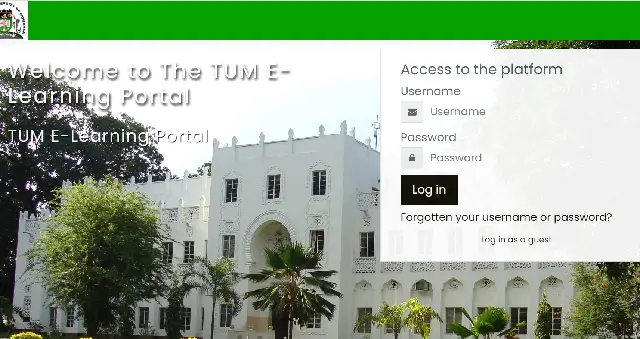
The Technical University of Mombasa (TUM) continues to enhance its digital learning ecosystem in 2026 through its official Moodle-based Learning Management System (LMS). The eLearning platform enables students to attend online classes, access lecture materials, participate in academic discussions, submit assignments (see the full list of courses offered at TUM), and complete assessments remotely.
The TUM eLearning ecosystem is supported through a network of official digital platforms including the main university website (students placed via KUCCPS), the Student Management Information System (SMIS), the student portal, the institutional repository, online journals, and library systems. These interconnected platforms are designed to provide students and staff with a seamless academic and administrative experience.
The official TUM eLearning Portal is built on Moodle technology and serves as the academic core of online and blended learning activities at the university. Lecturers use the platform to upload course outlines, lecture notes, PowerPoint presentations, videos, assignments, quizzes, discussion forums, recommended reading materials, and announcements to support teaching and learning activities.
STEPS ON HOW TO ACCESS AND ENROL FOR THE TUM ELEARNING PORTAL SYSTEM
The following is a guide on how to access and use the TUM eLearning System in 2026.
- Open your preferred internet browser such as Google Chrome, Mozilla Firefox, Microsoft Edge, or Safari.
- Go to the official TUM eLearning Login Address: https://elearning.tum.ac.ke
- Select the Log in option on the homepage.
- Enter your official TUM student login credentials provided through the university student management system.
- Once logged in, navigate to the Course Categories section and select your School or Department.
- Locate your programme or course unit from the available course listings.
- Select the course to access lecture materials, assignments, discussion forums, quizzes, and other academic resources.
TUM ELEARNING LOGIN ADDRESS
- TUM eLearning Portal: https://elearning.tum.ac.ke
- Forgot Password Recovery: https://elearning.tum.ac.ke/login/forgot_password.php
OFFICIAL TUM DIGITAL LEARNING AND STUDENT PORTALS
The Technical University of Mombasa operates several official digital systems that support eLearning, student administration, research, and academic communication.
- Main University Website: https://www.tum.ac.ke/
- TUM Student Management Information System (SMIS): https://smis.tum.ac.ke/
- TUM Student Portal: https://students.tum.ac.ke/
- TUM Institutional Repository: https://erepository.tum.ac.ke/
- TUM Online Public Access Catalogue (Library OPAC): https://opac.tum.ac.ke/
- TUM Online Journals Platform: https://journals.tum.ac.ke/
ABOUT THE TUM ELEARNING ECOSYSTEM IN 2026
The TUM digital learning ecosystem is designed to support flexible, blended, and online learning through integrated academic and administrative systems. The eLearning platform works together with the university’s student management systems to ensure that only registered students can access their assigned courses and academic resources.
Students can use the Student Management Information System (SMIS) and student portals to register for courses, manage fee payments, view examination results, and update their academic information. Once course registration is completed, students can access corresponding course units through the Moodle-based LMS.
The university also supports digital scholarship and research through its institutional repository and online journals system, where students and researchers can access theses, dissertations, past examination papers, and scholarly publications.
ADDITIONAL INFORMATION
Students experiencing challenges accessing the TUM eLearning platform or related digital systems are advised to contact their respective schools, departments, or university ICT support services for assistance.
The university continues to strengthen its online and blended learning environment through its Department of Open, Distance & e-Learning (ODeL), ensuring that students can continue academic activities both on-campus and remotely.
Students are also encouraged to regularly monitor official university communication channels, including the university website and official social media platforms, for updates regarding online learning, examinations, registration deadlines, and academic activities.
OFFICIAL TUM SOCIAL MEDIA CHANNELS
- Facebook: https://www.facebook.com/TUMombasa/
- X (Twitter): https://twitter.com/TUMombasa
Don’t miss out on current updates, kindly like us on Facebook & follow us on Follow @Eafinder OR leave a comment below for further inquiries.
Share this post:
Share on Facebook
Share on Twitter/X