UKZN Eduplace 2026 | eduplace.ukzn.ac.za | How to Login
We are pleased to present to you eduplace.ukzn.ac.za, the University of KwaZulu-Natal, UKZN Eduplace portal, as well as steps on how to log in. It also contains the benefits of using the UKZN Eduplace, including steps on how to log in and how to reset or recover your student’s forgotten password.
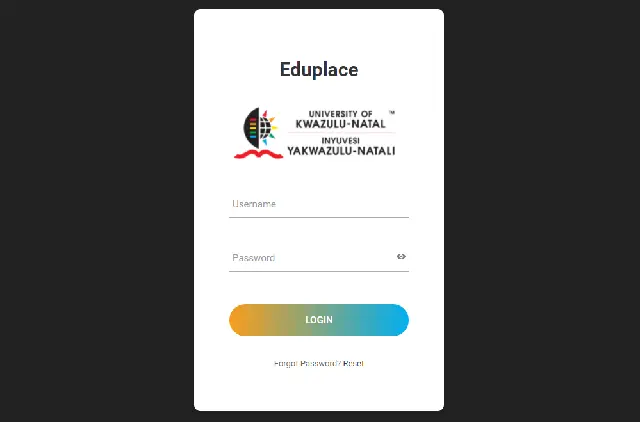
Eduplace is an official platform operated under the School of Education at the Edgewood Campus of the University of KwaZulu-Natal (UKZN). It is specifically designed for students enrolled in the Bachelor of Education (BEd) programs. Its primary function is the logistical management of Teaching Practice (TP) placements, including the submission of TP-related documents and assignments. It is not a general student portal and is not used for registration, financial transactions, or personal data management.
WHO CAN USE THE UKZN EDUPLACE?
Eduplace is strictly for undergraduate students enrolled in the Bachelor of Education (BEd) programs at the School of Education, Edgewood Campus. It becomes a mandatory requirement during the designated year of their studies when they are scheduled to undertake Teaching Practice. Students from other colleges at UKZN — including the College of Agriculture, Engineering & Science (CAES), the College of Health Sciences (CHS), the College of Humanities (COH), and the College of Law & Management Studies (CLMS) — have no need to use this portal.
UKZN EDUPLACE ADDRESS:
HOW TO ACCESS OR LOGIN TO THE UKZN EDUPLACE
- Open your internet browser, e.g. Chrome, Firefox, Edge, etc.
- Go to https://eduplace.ukzn.ac.za
- Log in using your standard UKZN student credentials — your student number formatted as an email address (e.g. studentnumber@stu.ukzn.ac.za) and your LAN password. These are the same credentials you use for your student email and other UKZN systems.
- Once logged in, you will be able to upload Teaching Practice documents, submit fieldwork assignments, and manage your TP placement-related tasks.
Please note: Eduplace does not use UKZN Single Sign-On (SSO). Even though your login credentials are the same as other UKZN portals, you must log in separately at the Eduplace URL. You cannot access it directly from Student Central or any other main UKZN portal dashboard.
HOW TO RECOVER YOUR UKZN EDUPLACE FORGOTTEN PASSWORD?
Since Eduplace uses your standard UKZN LAN password, you can reset it through the university’s central Password Reset portal at password.ukzn.ac.za. If you continue to experience access difficulties after resetting your password, contact the School of Education’s administrative office at the Edgewood Campus directly, as no dedicated Eduplace helpdesk has been identified for 2026.
Read Also:
- NSFAS Allowance Payments Dates for UKZN Students >>>
- University of KwaZulu-Natal Semester Registration Guidelines & Portal >>>
- University of KwaZulu-Natal Self Screening Portal >>>
- University of KwaZulu-Natal PGCE Application Forms >>>
- University of KwaZulu-Natal Registration Dates and Deadline >>>
- University of KwaZulu-Natal Moodle Portal Login >>>
- University of KwaZulu-Natal Email Address >>>
- How to Login to your University of KwaZulu-Natal Student Mail >>>
- How to Access the University of KwaZulu-Natal eLearning Portal >>>
- How to Access the UKZN Learn Edition >>>
- University of KwaZulu-Natal Resumption Dates >>>
- University of KwaZulu-Natal Application Deadline >>>
- How to Access the University of KwaZulu-Natal Online Application Forms >>>
- View University of KwaZulu-Natal Prospectus in PDF >>>
- University of KwaZulu-Natal Postgraduate Online Application Procedure >>>
- University of KwaZulu-Natal Admission Requirements >>>
- List of Courses Offered at University of KwaZulu-Natal >>>
- University of KwaZulu-Natal Fee Structure >>>
- University of KwaZulu-Natal Admission Points Score and How to Calculate your APS >>>
- How to Check your University of KwaZulu-Natal Application Status >>>
- University of KwaZulu-Natal Academic Calendar >>>
- University of KwaZulu-Natal Student Portal >>>
- University of KwaZulu-Natal Application & Registration Fee >>>
Don’t miss out on current updates, kindly like us on Facebook & follow us on Follow @Eafinder OR leave a comment below for further inquiries.
Share on Facebook | Share on Twitter