
How to Pay NHIF via mpesa in 2023
This article contains information on how to pay your National Hospital Insurance Fund(NHIF) via mpesa in 2023. It also contains the list of mpesa transaction charges and also how to check your NHIF account status.
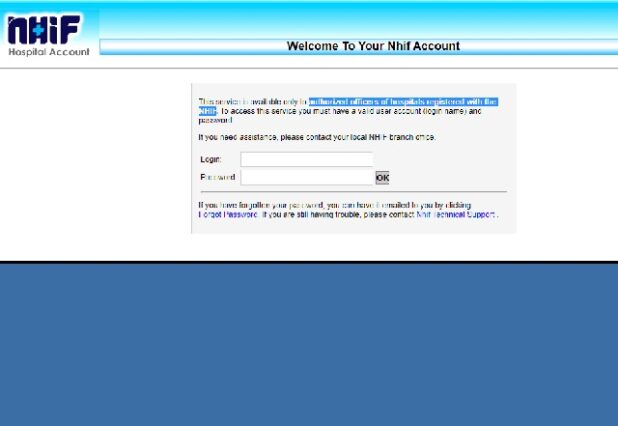
The category of people that are eligible to pay for the NHIF are only registered members. NHIF registers all eligible members from both the formal and informal sector. For those in the formal sector, it is compulsory to be a member. For those in the informal sector and retirees, membership is open and voluntary.
M-PESA PROCEDURE FOR NATIONAL HOSPITAL INSURANCE FUND (NHIF) PAYMENT
- Select the Pay Bill option
- Enter Busines no. Type in 200222
- Enter a/c no. Type in contributor’s National Identity Number
- Enter amount. Type in the amount you wish to contribute
- Enter pin. Type in your Mpesa Pin
- Confirm all details are correct then press OK
You will receive a confirmation SMS from Mpesa immediately
MPESA TRANSACTION CHARGES FOR NHIF PAYMENT
Minimum Amount (Kshs) |
Maximum Amount (Kshs) |
Charge |
|---|---|---|
| 1 | 49 | 0 |
| 50 | 100 | 0 |
| 101 | 499 | 22 |
| 500 | 999 | 22 |
| 1,000 | 1,499 | 22 |
| 1,500 | 2,499 | 22 |
| 2,500 | 3,499 | 33 |
| 3,500 | 4,999 | 33 |
| 5,000 | 7,499 | 33 |
| 7,500 | 9,999 | 33 |
| 10,000 | 34,999 | 33 |
| 35,000 | 49,000 | 44 |
| 50,000 | 70,000 | 55 |
HOW TO CHECK YOUR NHIF ACCOUNT STATUS
To get your account status via your mobile phone:
- Compose a new sms
- Type the letters “ID”, a space, then your ID number (or passport number if applicable) e.g ID 12345678
- Send to 21101
Note: Charge for this service is Kshs 10 only.
Check Also:
- How to Access the e-Citizen login Portal >>>
- How to Access the NEMIS Portal >>>
- How to Access the NCA Portal >>>
- TSC Online Payslip Login Portal
- GHRIS Payslip Login Portal >>>
- Nursing Council of Kenya (NCK) online Portal >>>
- IATA Customer Portal >>>
- Law Society of Kenya Login Portal >>>
- PPB Online Portal >>>
Don’t miss out on current updates, kindly like us on Facebook & follow us on Follow @Eafinder OR leave a comment below for further inquiries.