GIBS Blackboard 2026: gibs.blackboard.com
This article contains information on how to gain access to the Gordon Institute of Business Science (GIBS) Blackboard Portal Login for 2026 (gibs.blackboard.com), also known as the E-Learning Management System (LMS).
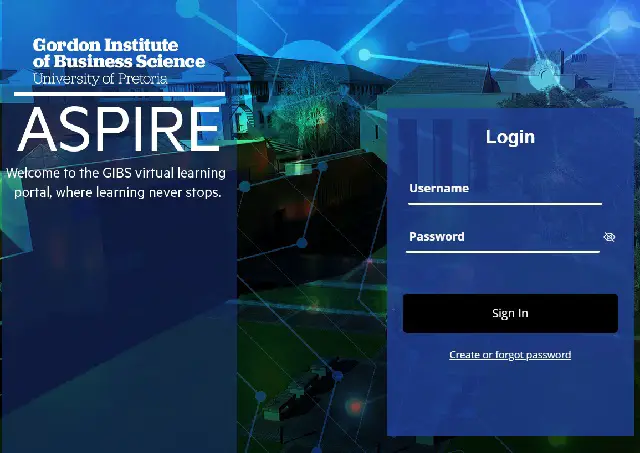
The Gordon Institute of Business Science (GIBS), a business school of the University of Pretoria, continues to enhance its digital learning environment through the official Blackboard Learning Management System (LMS). The GIBS Blackboard platform enables students to attend online classes, access academic resources, participate in discussions, complete assessments, and submit assignments from anywhere at any time.
The Blackboard ecosystem used by GIBS in 2026 is built around a modern and secure learning experience powered by the Blackboard Ultra interface. The platform is designed to provide streamlined navigation, mobile-friendly access, accessibility support, and secure authentication for postgraduate and executive education students.
The LMS also supports lecturers and instructional teams in uploading course outlines, lecture presentations, recommended journals and books, discussion forums, videos, quizzes, and assignment materials for continuous academic engagement.
GIBS Blackboard is officially accessible via the dedicated portal at https://gibs.blackboard.com/.
STEPS ON HOW TO ACCESS AND ENROL FOR THE GIBS BLACKBOARD PORTAL SYSTEM
The following is a guide on how to access and use the GIBS Blackboard System in 2026.
- Open your preferred internet browser such as Chrome, Firefox, Safari, or Microsoft Edge.
- Go to the official GIBS Blackboard Login Address: https://gibs.blackboard.com/
- Select the Log In option.
- Enter your official University of Pretoria (UP) or GIBS login credentials.
- You may be prompted to configure or verify Multi-Factor Authentication (MFA) using either:
- Microsoft Authenticator App
- SMS verification or phone call authentication
- Once authentication is completed, you will gain access to your Blackboard dashboard.
- Navigate to Courses to access your enrolled modules, lecture materials, assignments, tests, and announcements.
- Select your course or programme to begin learning activities.
GIBS BLACKBOARD LOGIN ADDRESS
- GIBS Blackboard Portal: https://gibs.blackboard.com/
- GIBS Official Website: https://www.gibs.co.za/
- Blackboard Help Centre: https://help.blackboard.com/
KEY FEATURES OF THE GIBS BLACKBOARD SYSTEM IN 2026
- Modern Blackboard Ultra Interface: The platform uses the Blackboard Ultra experience for simplified navigation and improved usability.
- Secure Multi-Factor Authentication (MFA): GIBS Blackboard requires MFA verification to improve account security and protect student information.
- Mobile Learning Support: Students can access Blackboard using official Blackboard mobile applications on smartphones and tablets.
- Accessibility Integration: The platform supports accessibility enhancements through Blackboard Ally, helping improve access to learning materials for all students.
- Online Assessments and Collaboration: Students can participate in quizzes, assignments, discussion forums, announcements, and course messaging directly through the LMS.
- Cloud-Based Learning Environment: The LMS enables remote learning access anytime and anywhere with internet connectivity.
MOBILE ACCESS AND LEARNER SUPPORT
GIBS students can access Blackboard through official Blackboard mobile applications using their University of Pretoria login credentials. This allows learners to participate in academic activities remotely and conveniently.
The University of Pretoria and GIBS continue to support digital learning through institutional online services and learner support initiatives. Official Blackboard documentation and support resources are also available through the Blackboard Help Centre.
Students experiencing login challenges, authentication issues, or LMS access problems are advised to contact their programme administrators or institutional IT support teams for assistance.
Don’t miss out on current updates, kindly like us on Facebook & follow us on Follow @Eafinder OR leave a comment below for further inquiries.
Related Articles
- List of Universities in South Africa
- List of TVET Colleges in South Africa
- List of Bursaries in South Africa 2026